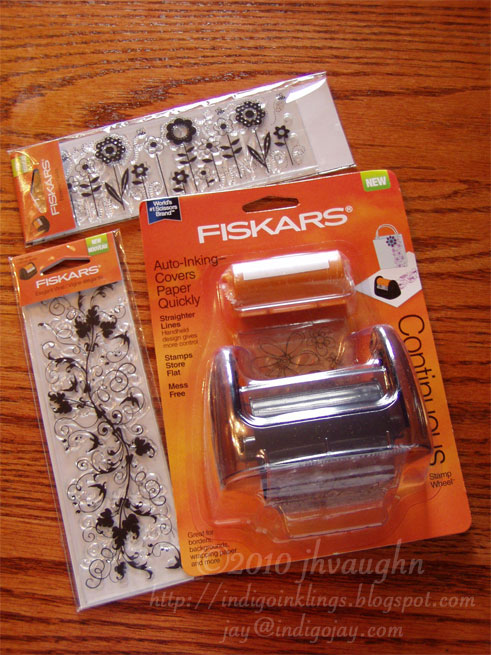
Here are a couple of the CB emboss plus folders as they'd arrived after I ordered them. The larger one is the 5 X 7 Brocade Window. The smaller one is the Elegant Ellipse.

Removing the folder from the packaging takes a bit of care. Don't tear or cut any of the plastic. The clear plastic makes up the outside of the folder, just like in the home-made embossing folders that I've described here on the blog, and like the modified CB folders that I described here. All you need to do is unsnap those two pairs of green buttons and slip the folder out from under the cardboard flap.

This is the folder once it's been removed from the packaging. This is the front view.

This is the folder opened up. The green parts that you see are thin metal dies that do the cutting and embossing.

If you flip the folder over and look carefully at it from the back, you'll see that there's a flap that's been cut out of the plastic. This flap can be lifted out of the way so that this side of the folder can be used as a stencil. Clever! This is a plus over the Sizzix embosslits.

The smaller folder works exactly the same way.

This is the back. You can see that there's a rectangle outlining the design of the embossing folder. That's the outline of the flap that I was talking about up above.

Here I'm lifting the flap away. It can be tough to see if you don't know what to look for.

Okay. So let's see how these actually work. I like the minimal packaging. Here you see the back of it. They show how to run the folder through, use it as a stencil, and use it as a die. Wonder why they didn't say what the stack should be though? Seems like a big oversight. For CB users, I've read that it's the A plate, then the folder between the two B plates. As usual, we Big Shot users will get to experiment. :-)

So, I have a nice big folder, let's try a nice big card. I think you can see that I already have a dilemma. That's a 5 X 7 inch card with the fold on the side. It's the design of the embossing folder that is 5 X 7. If I want to die cut and emboss my card front, I can't do it. The folder is too big.

See what I mean? Usually I place the card front inside the folder and wrap the rest around the back. Can't do it. The design will be way off. The other method that could work would be to put the card front inside the folder and run it through sideways. That won't work with these larger folders either. They're too wide for the opening of the machine. I've always felt that was a drawback with the larger sized folders. It cuts down on versatility. Hate that.

Here I've settled for trying this out on a half-sheet of white card stock.

This is the card stock inside the folder, sandwiched between the two clear cutting plates, on top of the multipurpose platform open with No Tabs. Roll it through. It wasn't a super tight fit in my machine. It rolled fairly easily. And don't be alarmed if you hear cracking noises as the die goes through. I've heard the same sound with the Sizzix embosslits. It's fine. Nothing is cracking.

This is the folder opened up. You can see the debossed design. You can also make out where the die has cut through to make the window.

Here I've removed the center and poked out the other pieces that had been cut. It's also flipped over so that the embossed side is showing. This could now be trimmed down to fit the front of that 5 X 7 card.
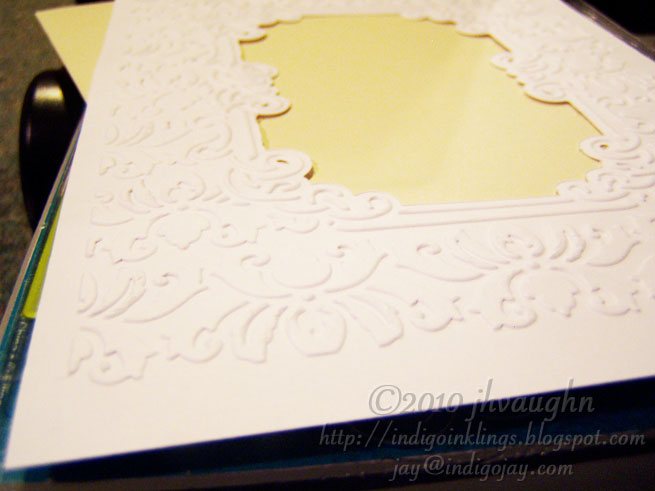
I wanted to give you an idea of the quality of the embossing.

And here's a look at the debossed side. You may also be able to make out the fact that the window cuts were not perfectly clean. You can see some bits and pieces hanging on the edges of the opening. It's nothing that a bit of fine grit sandpaper can't remove, but it's an annoyance. I'm not sure if a thin shim might help eliminate this, but I'm also not sure that I want to add a shim since the fit was already fairly tight.

This is a photo with the card stock back in the folder. Again, this is a view from behind with the flap lifted so that you can use this side as a stencil to pounce chalks or inks or whatever you'd like to use to add some color to the embossed design.

Since I didn't get to emboss my card front with that bigger folder, I thought I'd give it a try with the smaller one. This is an A2 size card. I'm placing the front inside the folder and wrapping the back behind. I like that the plastic folder allows the die to reach close to the center of the card front. I used the same stack as last time. From the bottom up: multipurpose platform using no tabs, clear cutting plate, embossing folder with card front inside, clear cutting plate.

After rolling it through and again hearing some cracking noises, here's the result.

It's nicely cut and nicely embossed, but there are a couple of issues. I left the photo a bit dark up there because I wanted you to be able to see that there was some buckling of the card front below the embossed design. I'll have to play with that to see if it can be eliminated.

I left this photo dark, too, so that you can perhaps see that the top edge of the die left a crease in the card stock up above the design. That's a second annoyance to try to minimize. Just not a great look, you know?
Overall, it was a nice improvement made by Provo Craft over the embosslits by Sizzix. The construction of their folders show the thought that went into this and added some versatility. I like the fact that they can reach the center of a card front. I like that you can fully emboss the front of a 5 X 7 card edge to edge. I also like that you can use part of the die to stencil.
There are drawbacks though. I still find the larger size to be limiting (as in the folder cannot be run through these particular machines--Cuttlebug and Big Shot--sideways), and the fact that the folder itself extends beyond the design makes it problematic to emboss and die cut a card front. Then there's the pesky problem again with the creasing and the buckling of the card stock, at least with my Big Shot. I'll give it a whirl with my CB and see if the results are better. If not, it'll be time to do some tweaking unless I decide that I really like cutting and adhering layers to my card fronts.
Hope everyone is enjoying the Labo(u)r Day holiday, if you're celebrating where you are. :-)